
How to Vote Online from Home: A Simple Step-by-Step Guide
Voting online is quick, safe, and secure. Here is how to access the portal on your computer:
- Open your internet browser (Google Chrome, Microsoft Edge, Safari, Mozilla Firefox, etc.).
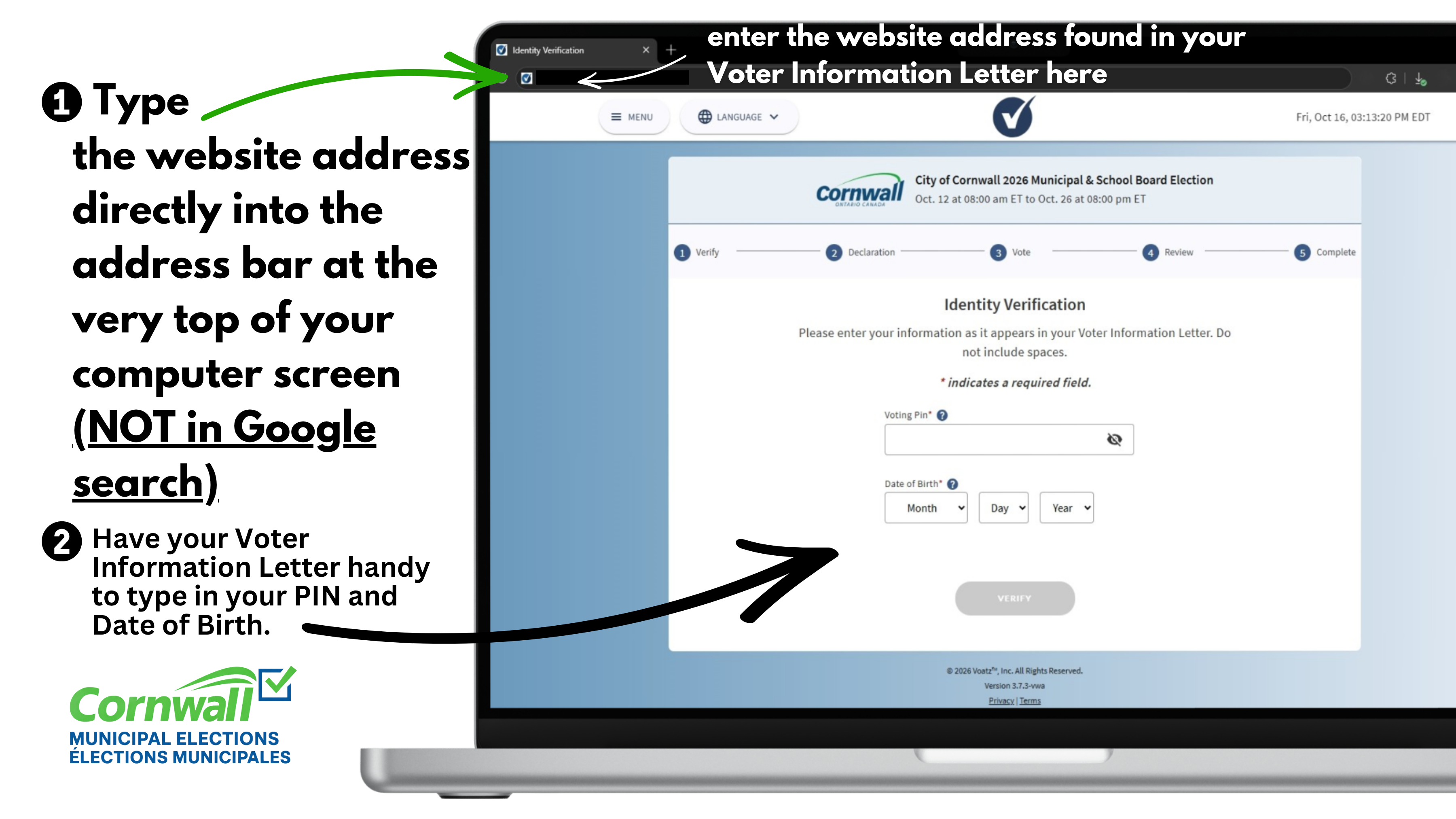
- Type the exact website address found in your Voter Information Letter directly into the address bar at the top of your browser window. (Note: Do NOT type the web address into Google search!)
- Keep your Voter Information Letter next to you to enter your Voting PIN and Date of Birth.
In-Person Computer Support & Assistance
If you do not have a computer at home, need internet access, or require assistance from staff to vote on a computer, designated voter help centres are available:
- City Hall (360 Pitt St) | Mon to Fri: 8:30 AM – 4:30 PM
- Cornwall Public Library (45 Second St E) | Mon to Thu: 9:30 AM – 8:30 PM | Fri to Sun: 9:30 AM – 5:00 PM
Questions or Need Support over the Phone?
For assistance or voter list inquiries, contact the official Voter Help Line:
- Phone: 613-930-2787 ext. 2026 (Mon–Fri, 8:30 AM – 4:30 PM)
Watch the step-by-step video guide: How to Vote | City of Cornwall
Sign up to our News Feed
Stay up to date on the city's activities, events, programs and operations by subscribing to news feed.